
Administration – Computer Groups
Create Group – ARC Viewer
Create Computer Group
Step 1
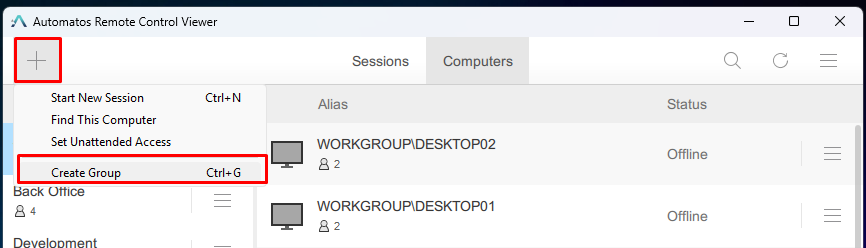
Click “Create Group” from “+” button dropdown.
Step 2
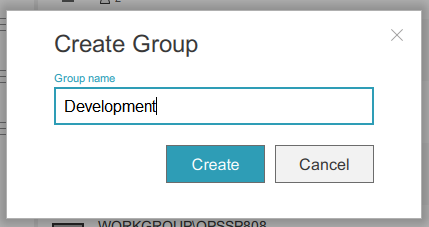
Enter the group name and click “Create” button.
Step 3
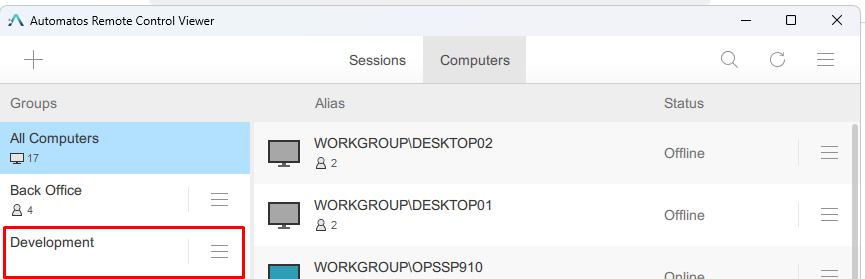
The new group has been created.
Click “Create Group” from “+” button dropdown.
Enter the group name and click “Create” button.
The new group has been created.
